Webhooks
Webhooks allow you to get notified about certain events that occur in your Happo account. Use webhooks to create deeper integrations with Happo.
Usage
You'll find a link to Webhooks admin from your Happo dashboard. Please note that you must be an administrator of the Happo account to use this feature.
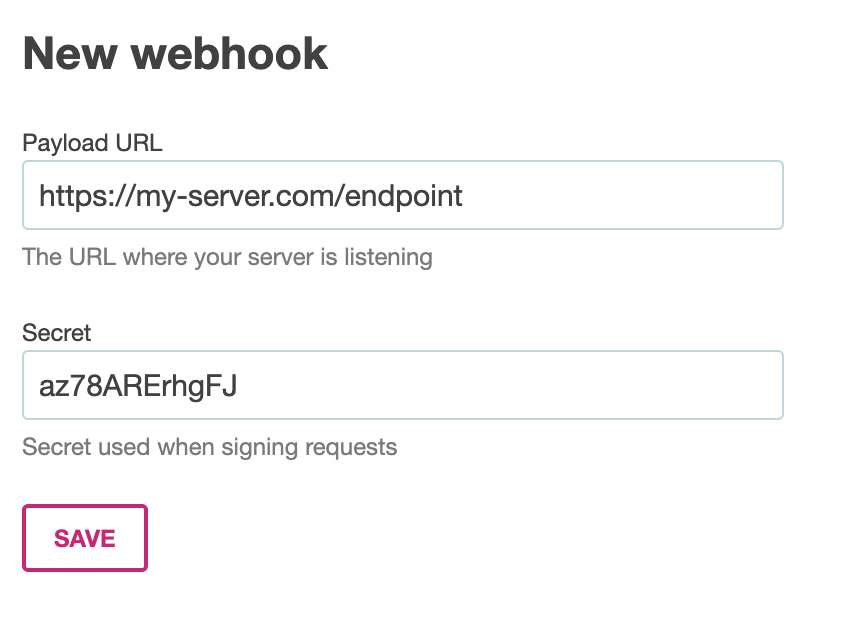
Enter a URL where your server is listening and a secret to use when signing requests.
Event types
comparison
The comparison event is sent when a comparison between two reports have been made. The payload data for this event is a Comparison object. Here's an example payload:
{
  "type": "comparison",
  "data": {
    "diffs": [
      [
        {
          "id": "8d266ae7368477c75c0338afefe2052c",
          "component": "Big canvas",
          "variant": "standalone",
          "target": "electron-1000x660",
          "url": "https://happo.io/a/1/img/happo-io/437df8d769323e9e614c14214caae266",
          "width": 1000,
          "height": 1375
        },
        {
          "id": "438d266ae7368477c75c0338afefe205",
          "component": "Big canvas",
          "variant": "standalone",
          "target": "electron-1000x660",
          "url": "https://happo.io/a/1/img/happo-io/7df8d768c9323e9e614c14214caae266",
          "width": 1000,
          "height": 1375
        }
      ]
    ],
    "ignoredDiffs": [],
    "added": [],
    "unchanged": [
      {
        "id": "8d266ae7368477c75c0338afefe2052c",
        "component": "Big canvas",
        "variant": "default",
        "target": "electron-1000x660",
        "url": "https://happo.io/a/1/img/happo-io/7df8d768c9323e9e614c14214caae266",
        "width": 1000,
        "height": 1375
      }
    ],
    "hash": "7d3fee157f81008b60f48dcfd9de0c3f",
    "summary": "Differences were found.\n\n- 1 diff - 1 unchanged example\n\nView full report at \nhttps://happo.io/a/1/p/1/compare/dev-5b8733872b18c9dcf58c/dev-17c0aafc?t=added\n",
    "statusImageUrl": "https://happo.io/a/1/p/1/compare/dev-5b8733872b18c9dcf58c/dev-17c0aafc/status.svg",
    "compareUrl": "https://happo.io/a/1/p/1/compare/dev-5b8733872b18c9dcf58c/dev-17c0aafc?t=added",
    "equal": false,
    "status": "failure"
  }
}
Verifying signatures
Every webhook call made by Happo will contain a X-Happo-Signature header. You can use the value of this header to verify that the call is in fact made by Happo. The signature is computed using a SHA-256 HMAC hex digest. Here's how you can verify the signature using NodeJS with Express:
const crypto = require('crypto');

async function handleHappoWebhook(req, res, next) {
  try {
    const signature = req.get('X-Happo-Signature');
    const hmac = crypto.createHmac('sha256', process.env.HAPPO_WEBHOOK_SECRET);
    const computedSignature = `sha256=${hmac.update(rawBody).digest('hex')}`;
    if (
      !crypto.timingSafeEqual(
        Buffer.from(signature),
        Buffer.from(computedSignature),
      )
    ) {
      // The signature is incorrect
      return res.status(401).send();
    }
    // The signature is correct
    await handleHappoEvent(JSON.parse(req.body));
    res.status(204).send();
  } catch (e) {
    next(e);
  }
}
Timeouts
Happo will wait at most 20 seconds for a response from the webhook. Make sure you handle the event quickly. Ideally you shouldn't keep Happo waiting if you are doing time-consuming things as a result of an event.
Re-delivering a webhook
Every webhook that Happo sends is stored with your Happo account. You can inspect the results of each webhook delivery. This will help when debugging webhooks. You can also re-deliver an webhook using the admin UI.
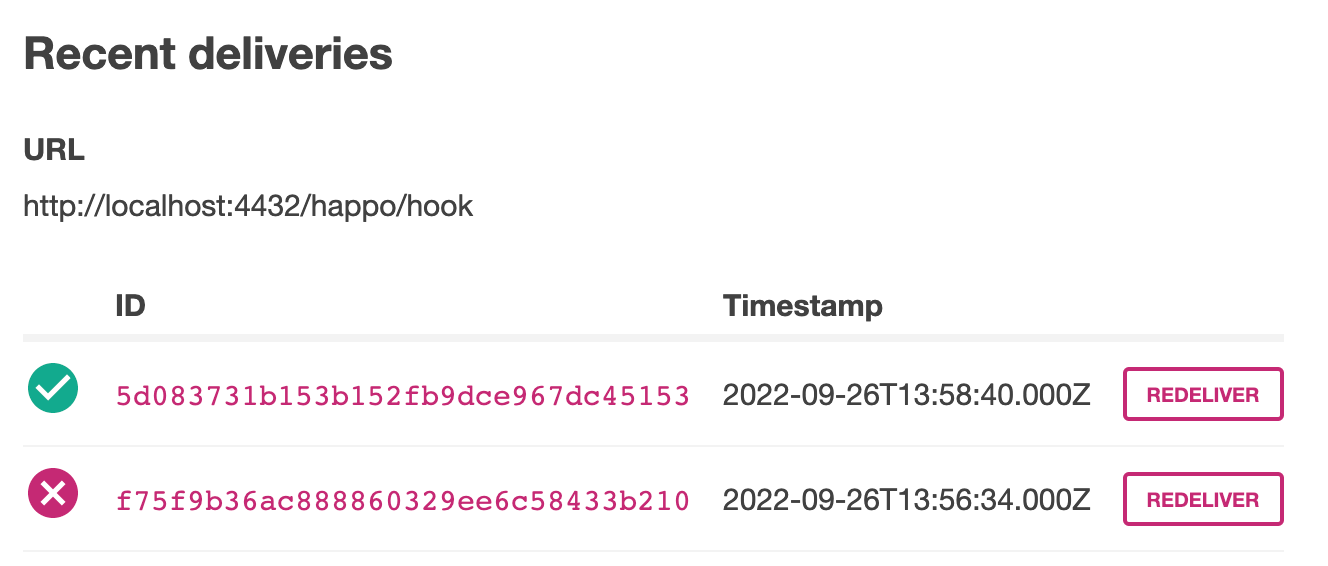
Webhooks are stored a few days on Happo servers, then they are automatically cleaned out.